App Store preview sizes
Export a demo at exactly the resolution App Store Connect accepts, and a shorter, clearer list of formats.
App Store
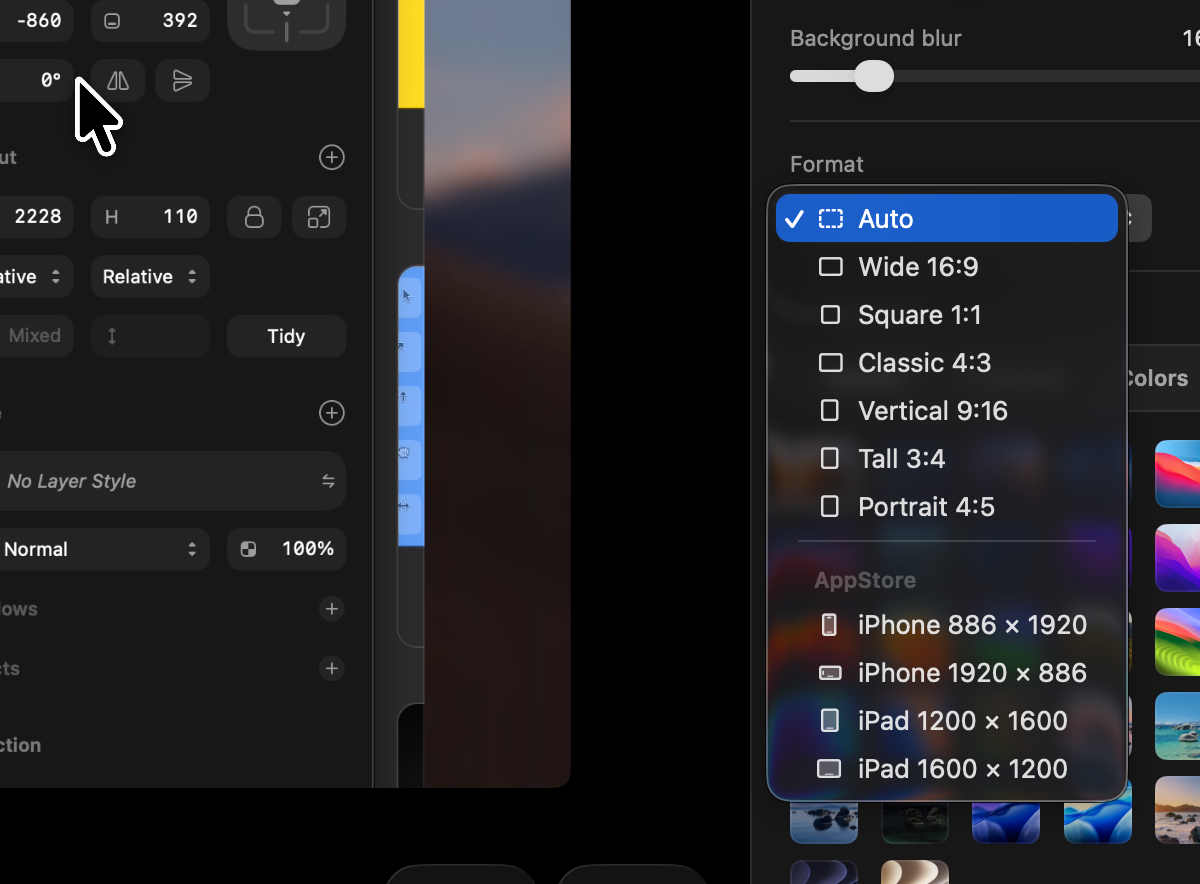
- New AppStore formats: iPhone 886 × 1920 and 1920 × 886, iPad 1200 × 1600 and 1600 × 1200 — the resolutions Apple accepts for app previews, so an export uploads instead of being rejected.
- These are sizes, not shapes: choosing one fixes the export resolution, whatever the resolution menu says. No subscription needed.
Formats
- The list is now Auto, Wide 16:9, Square 1:1, Classic 4:3, Vertical 9:16, Tall 3:4 and Portrait 4:5. The four nobody was using (21:9, 1.91:1, 2:1, 3:2) are gone; a project set to one of them opens as Wide.
Fixes
- A project now always reopens in the format you chose. Formats are remembered by name rather than by their position in the list, which could shift when the list changed.
- Exports land on the exact pixel size a format asks for instead of occasionally coming out a pixel short.
Trimmed recordings play again
A trimmed recording could sit frozen on its first frame instead of playing. That is fixed, along with a batch of smaller things across the editor.
Fixes
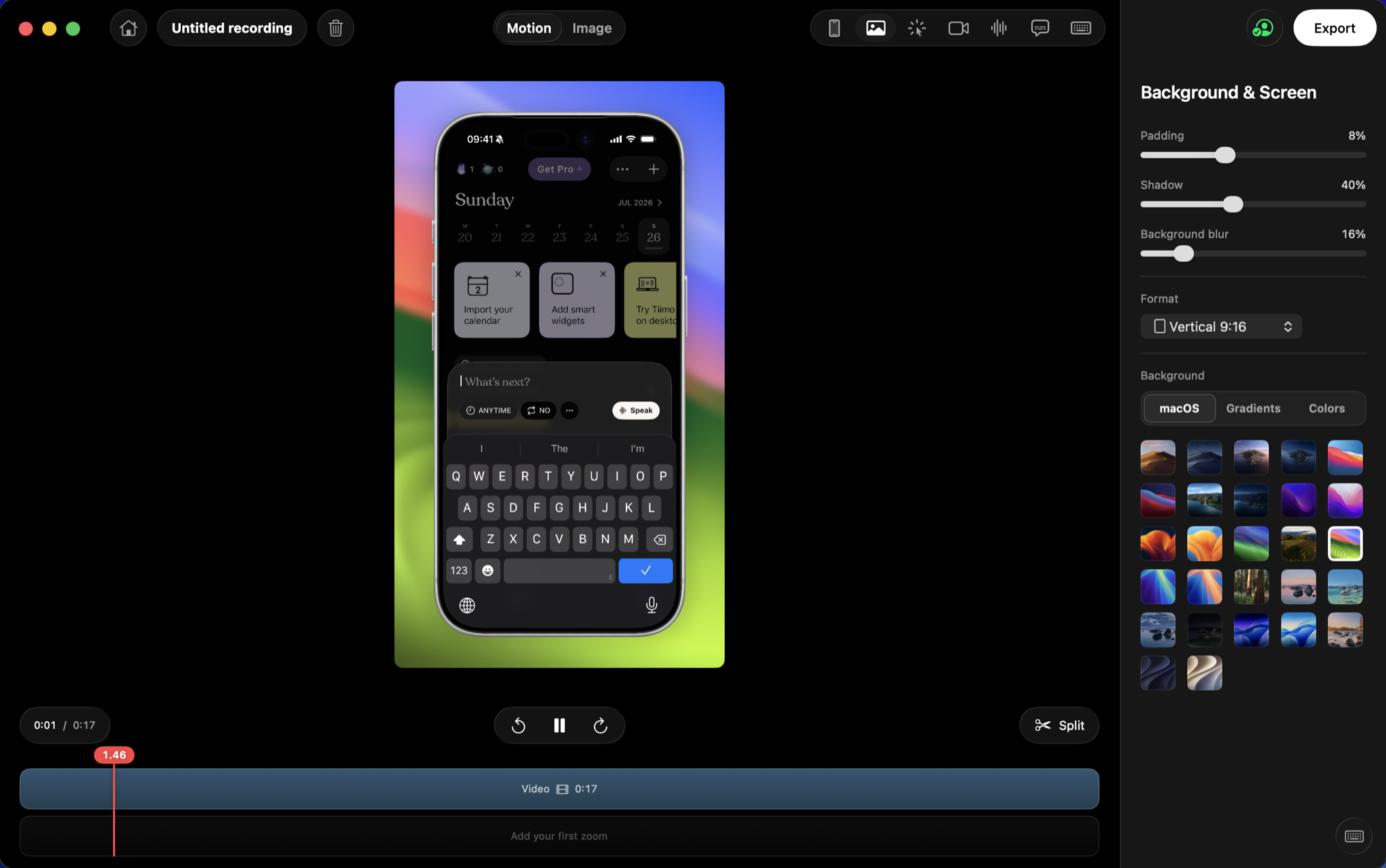
- A trimmed take plays from the start of the trim instead of freezing on its first frame. iPhone recordings were hit hardest.
- Recordings from a phone show their whole screen in the library instead of a band cropped from the middle.
- Captions you can see: the transcript, the style and Remove all now appear whenever a recording has captions, even one whose microphone was never recorded.
- Regenerate asks first if you have edited any lines by hand.
- Switches show whether they are on. Before, on and off looked almost the same.
Undo
- Cmd+Z now takes back look changes too: background, format, padding, corners, shadow, blur, camera framing, cursor, caption and keystroke settings, music and mutes.
Captions
- The speech model's size is shown in the Captions tab with a Remove button, and older model versions are cleaned up after an update.
- An interrupted first download is no longer mistaken for a finished one.
- A new recording starts with the default caption look instead of inheriting the previous project's.
Captions stay with their own recording
A fix for captions turning up in a project they were never generated for.
Fixes
- Captions belong to the recording they were generated from and are no longer written into another project. If a project picked up captions that are not its own, Remove all in the Captions tab clears them.
- Leaving a project mid-recognition cancels it instead of letting the result land on whatever you open next.
Captions, burned right into the video
Kiruna listens to your narration on this Mac and writes the captions for you, in three styles that stay readable over any screen. Plus a size and shape choice for the cursor, and a tidier Camera panel.
Captions
- Generate captions from your own narration, recognised on your Mac. Nothing is uploaded, and the speech model downloads once on first use (Apple silicon).
- Short, punchy lines timed word by word, so they land with what you actually said rather than drifting behind it.
- Three looks: a frosted pill, a clean outline, and karaoke, where the word being spoken lights up. Pick from live previews that animate the way the real thing will.
- Auto language detection with an explicit picker for English, Russian, German, Spanish and French.
- Fix any line by hand in the transcript: edit the text, merge two lines, delete one, or click a time to jump straight to it. Cmd+Z undoes it.
- Captions and the keystroke overlay now sit the same distance from the edge as your camera bubble, top or bottom.
Cursor
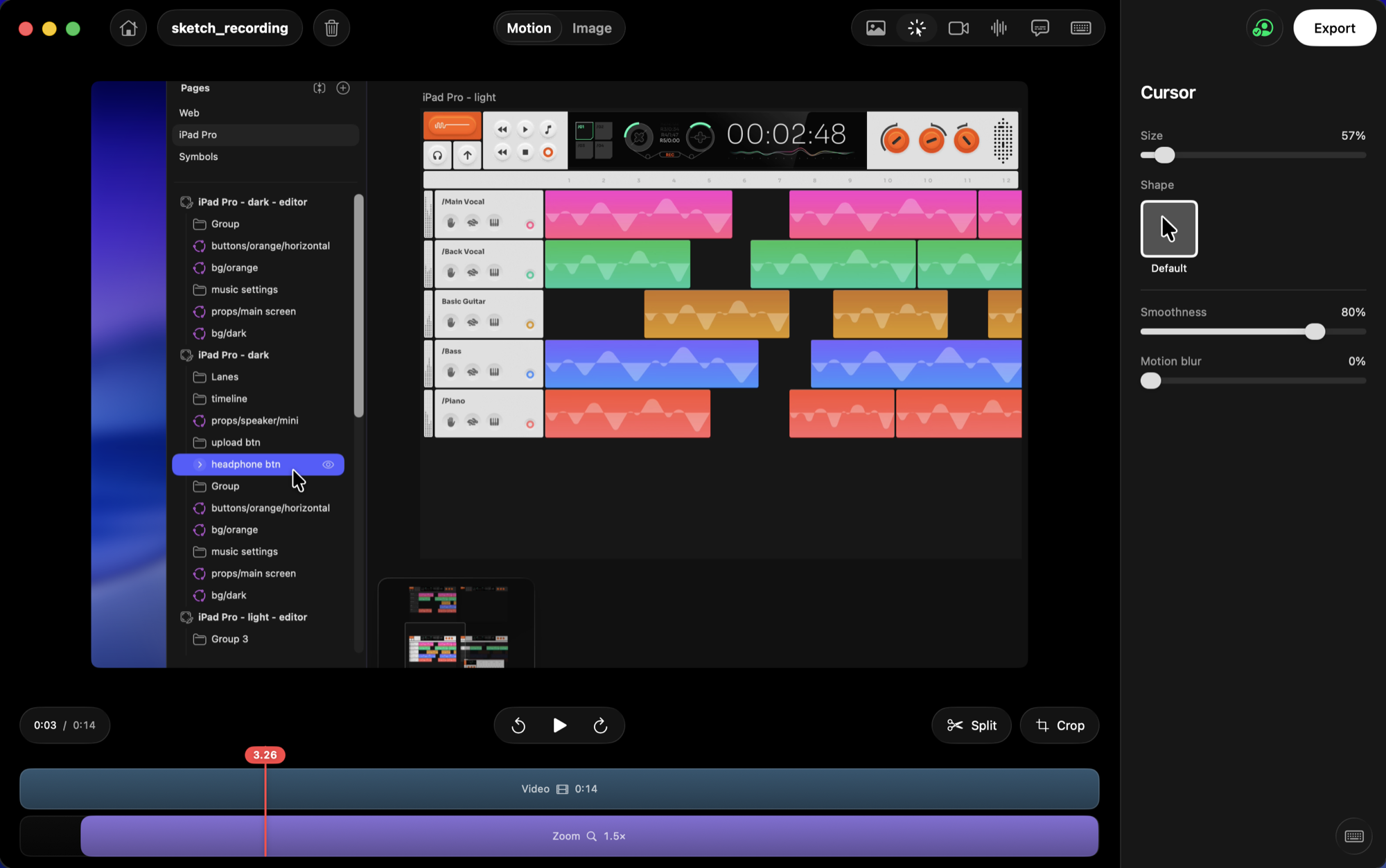
- Make the cursor smaller or larger, and pick its shape from a preview gallery.
Camera
- The Camera panel now shows position as a compact grid and shape as previews of the real outline.
- A hex field next to the colour square, for typing an exact background colour.
Webcam and microphone in step with your screen
Your face and voice now line up with what is happening on screen, recording starts the moment you pick a source, and the preview stops playing underneath an export.
Camera and audio in sync
- Your voice and your face match the screen they narrate, both in the editor and in the exported file.
- The camera bubble is there from the very first frame, and nothing you say at the start of a take goes unrecorded.
Recording starts right away
- Picking a display or window opens the take immediately, instead of holding for a couple of seconds while the camera warms up.
Fixes
- Exporting pauses playback instead of leaving the audio running in the background.
- Screen recordings no longer carry a thin bright line along their edges.
Grab the playhead
A small editor refinement so scrubbing feels more direct.

Editor
- Grab the playhead and drag it along the timeline to scrub to any moment.
Higher-quality clipboard copies
Copy to Clipboard now uses the best quality your plan allows.
Copy to clipboard
- Videos copy at 1080p on the free plan and 2K with Pro; images copy at 3x.
Copy to clipboard, and sharper screenshots
Send an export straight to your clipboard with no save dialog, get a quick confirmation toast, and grab crisper 3x screenshots by default.
Copy to clipboard
- Export → Share → Copy to Clipboard: paste a video into Finder, Slack or Mail, or an image straight into any chat or editor — no file to manage.
- A confirmation toast slides up when an export finishes.
Sharper screenshots
- Screenshots now export at 3x by default (1x and 2x are still in the Export menu).
Fixes
- A new recording starts from the default look again, instead of inheriting the last project's padding and background.
Drop in media, and a stronger Image mode
Drag or paste a video or image straight onto Kiruna to start editing, with iPhone shots framed automatically. Image mode gets full playback and freeform positioning, and Motion and Image each remember their own look.
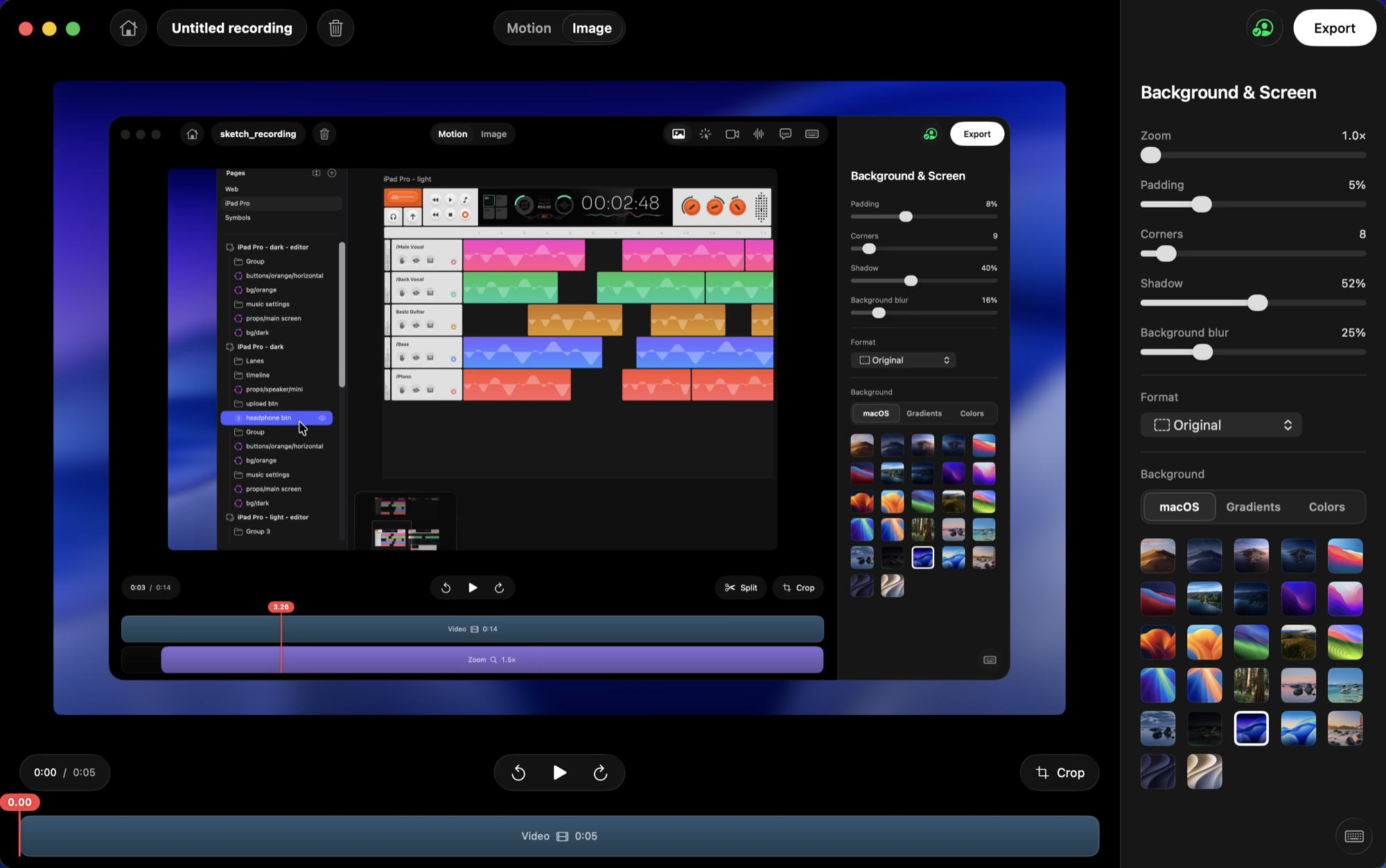
Import a video or image
- Drag and drop, or paste (⌘V), a video or image onto the home screen to open it as a project.
- Portrait iPhone screenshots and recordings get the iPhone frame automatically; images open straight in Image mode.
A stronger Image mode
- Play, pause, and scrub the clip in Image mode — the spacebar and arrow keys work too.
- Drag to reposition the image on the canvas, with guides that snap it to the center; scroll or pinch to zoom.
Independent Motion and Image
- Motion and Image now keep their own padding, corners, shadow, background and format — changing one no longer affects the other.
Fixes
- Window recordings no longer start with a blank frame.
Cut your recording, and a clearer export
Split your recording into pieces and remove the parts you don't want, watch export progress with size and time remaining, and pick from more output formats. Plus a fresh set of background music.
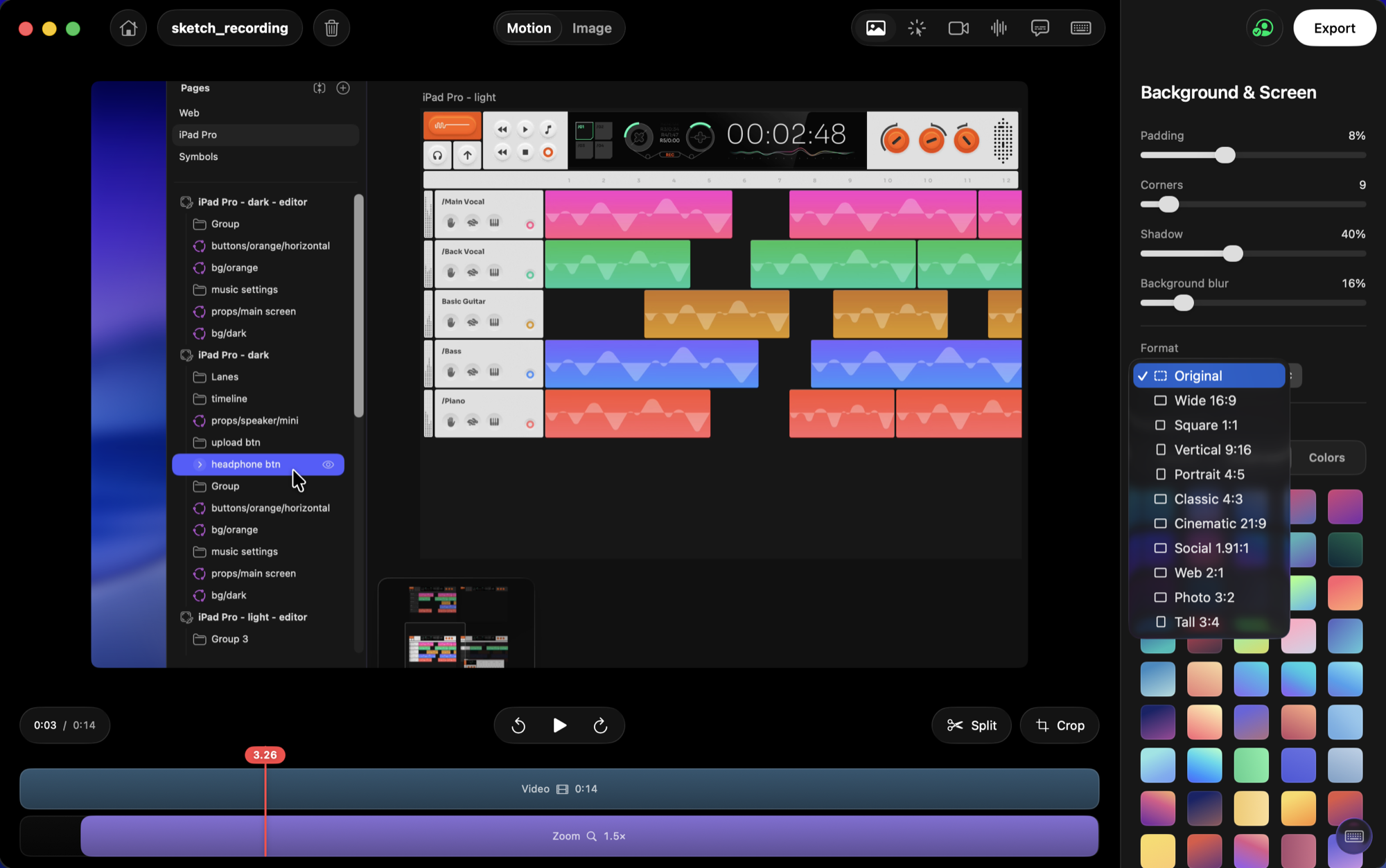
Cut and trim
- Split your recording at any point with the Split tool (or press S), then delete the pieces you don't need — the rest collapses together.
- Trim each piece's edges by dragging, just like the whole clip.
Export progress
- A new export screen shows a progress ring, the estimated file size, and time remaining.
- Cancel an export at any time.
More output formats
- Added Classic 4:3, Cinematic 21:9, Social 1.91:1, Web 2:1, Photo 3:2, and Tall 3:4.
Background music
- A fresh set of lofi tracks in the Audio panel.
Your projects, saved automatically
Every recording you make is now kept in a projects library, so you can come back and keep editing any time — nothing gets thrown away. We also gave the app a fresh, glassy new look.
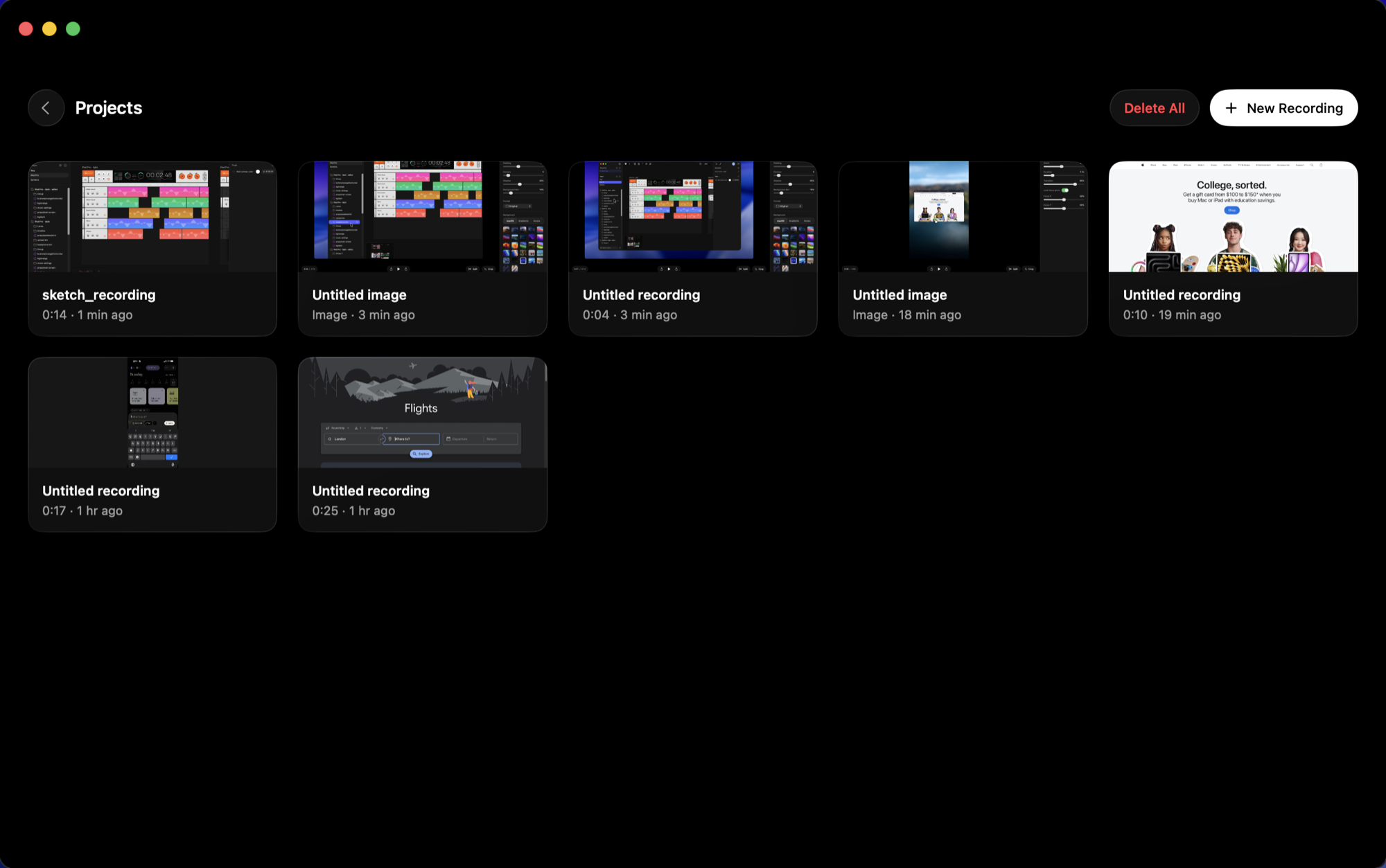
Projects library
- Every recording is saved automatically — open Projects (top-right) or the recents on the home screen to jump back in.
- Reopen any project to keep editing right where you left off — zooms, background, trims, keystrokes and all.
- Rename or delete projects, and hover a project to preview its video.
A fresh look
- Refreshed buttons and toolbars with a translucent Liquid Glass finish that responds as you hover.
Solid color backgrounds
Put a solid color behind your recording. Pick from a curated set or choose your own with the color picker. We also made creating a shareable link simpler when you're signed out, and fixed a couple of stability issues.
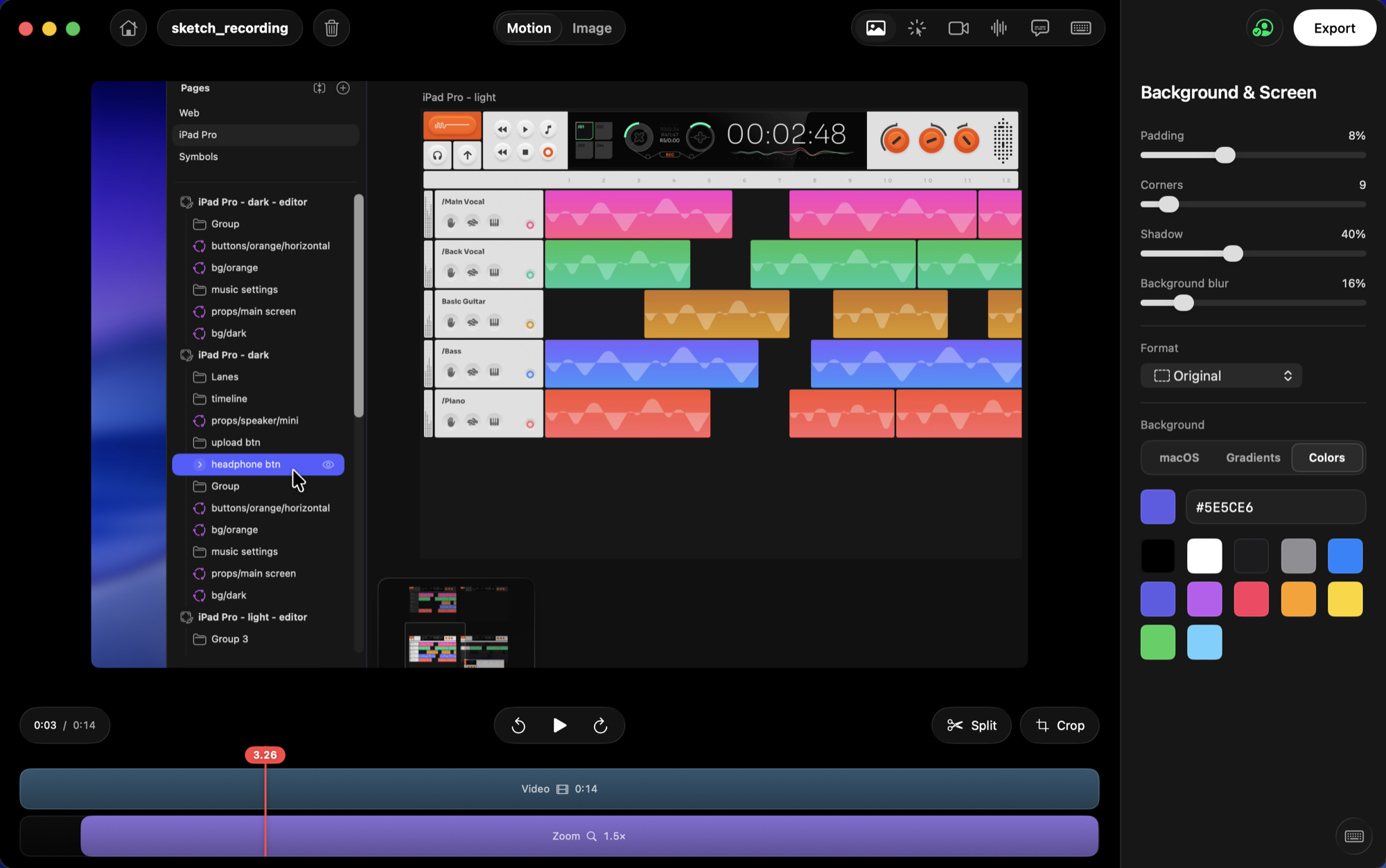
Color backgrounds
- A new Colors tab in Background: pick a solid color, or choose your own with the color picker.
Fixes
- Creating a shareable link now asks you to sign in (it's free) instead of showing the Pro screen.
- Fixed a rare hang when exporting a clip with audio, and a crash when starting a new recording right after another.
Shareable links and on-screen keystrokes
Share a recording as a link in one click, and show the keyboard shortcuts you press right on screen. We also fixed a glitch where a window recording could start with a blank frame.
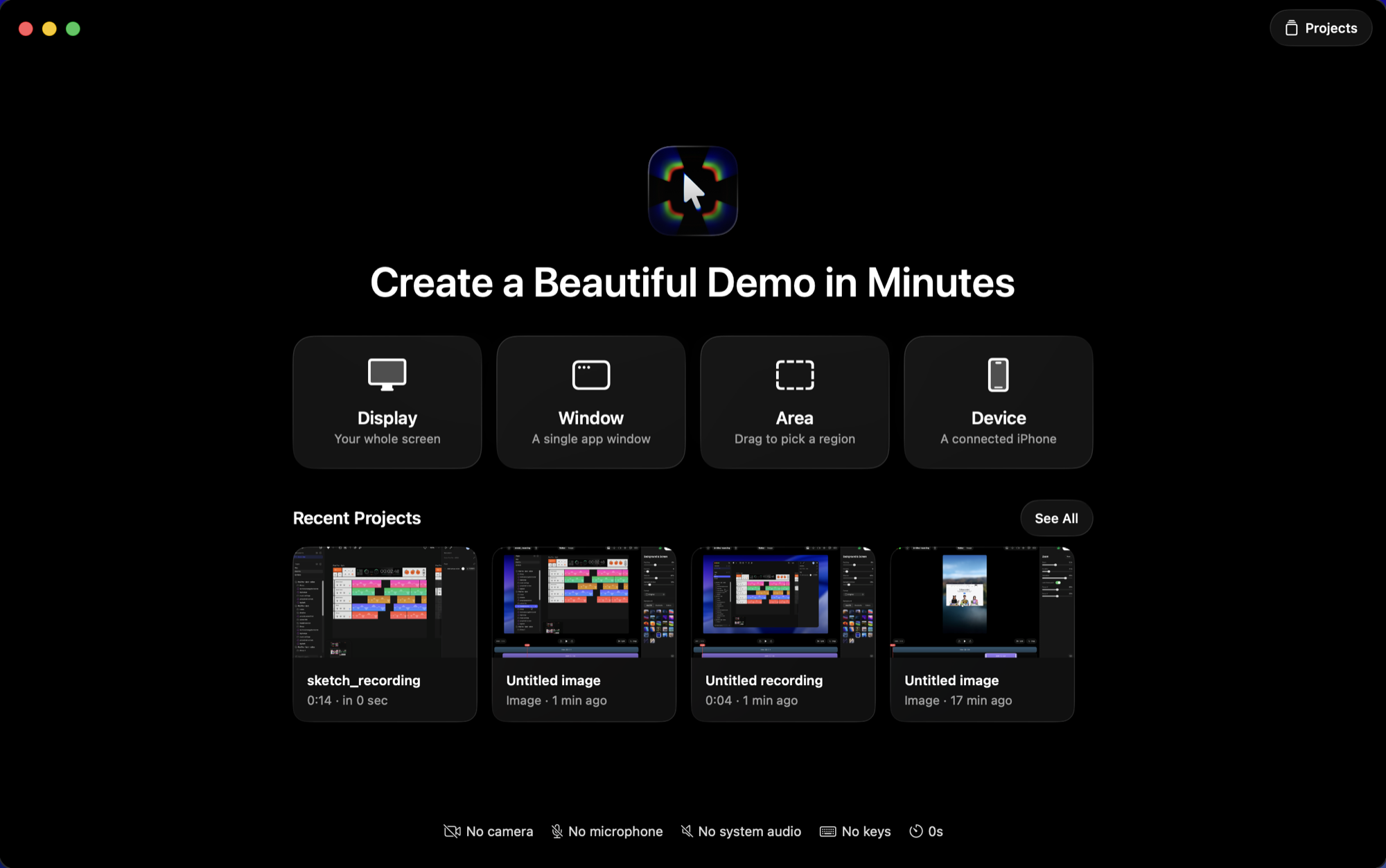
Copy a shareable link
- Turn any recording into a link (Export → Copy Shareable Link) and paste it anywhere — it opens in a clean player.
Show your keystrokes
- Turn on “Keys” before recording to show the shortcuts you press as on-screen keycaps.
- Choose shortcuts-only or all keys, set the position and size, in the new Keys tab.
Fixes
- Window recordings no longer start with a brief blank frame.
Editor polish
A few small touch-ups to the editor toolbar so the controls line up cleanly.
Refinements
- Tidied up the alignment of the editor toolbar controls.
1080p export is now free
You can now export in 1080p for free. Higher resolutions, 2K and 4K, stay part of Pro. Free exports still carry a small watermark, which Pro removes.
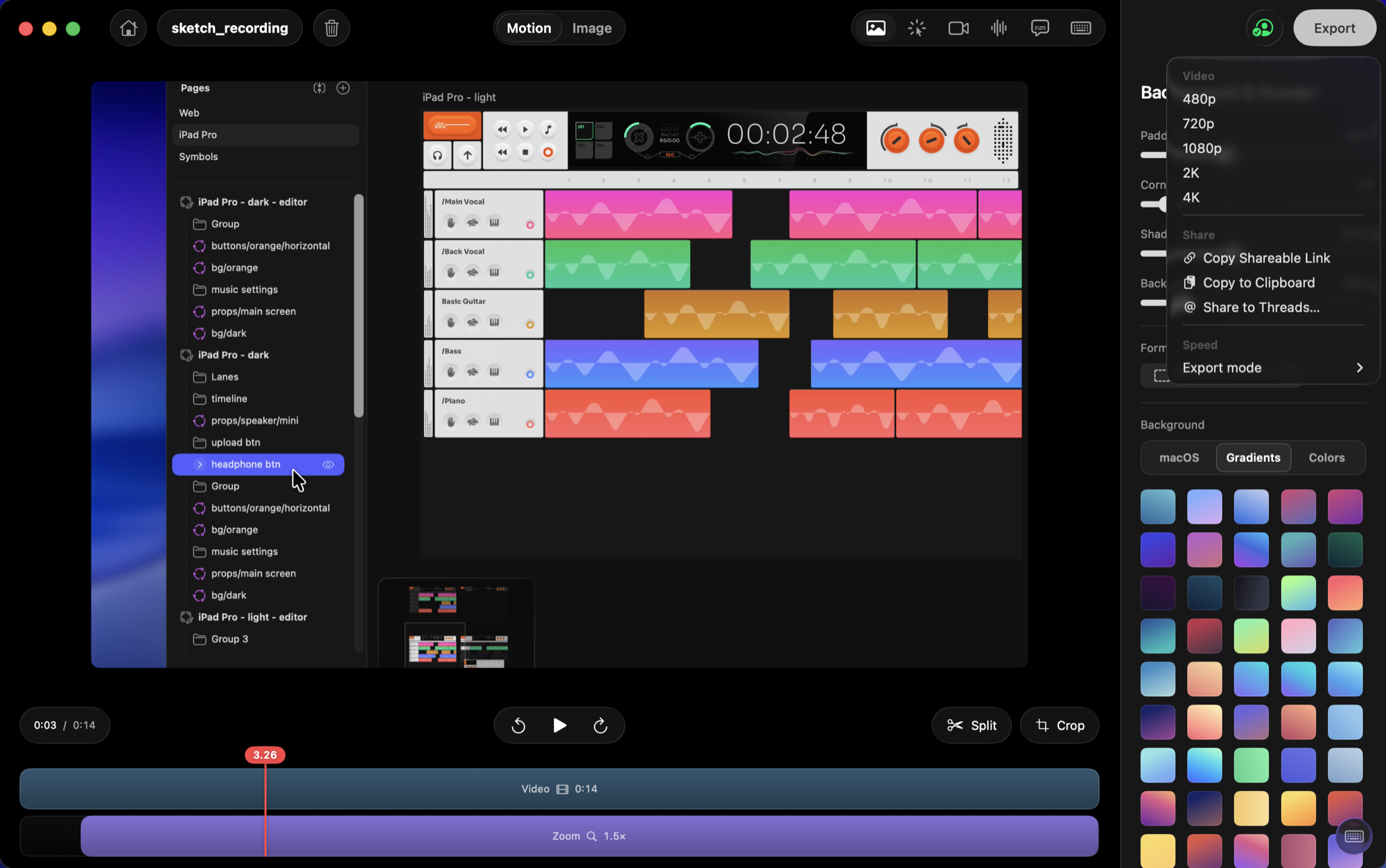
Free 1080p export
- Export up to 1080p for free (with a small watermark). 2K and 4K remain Pro.
A cleaner editor and PNG export
The editor has a fresher, lighter look now, with floating glass controls that keep your recording front and center. You can also export any single frame as a PNG, at 1x, 2x, or 3x, which is handy for thumbnails and stills.
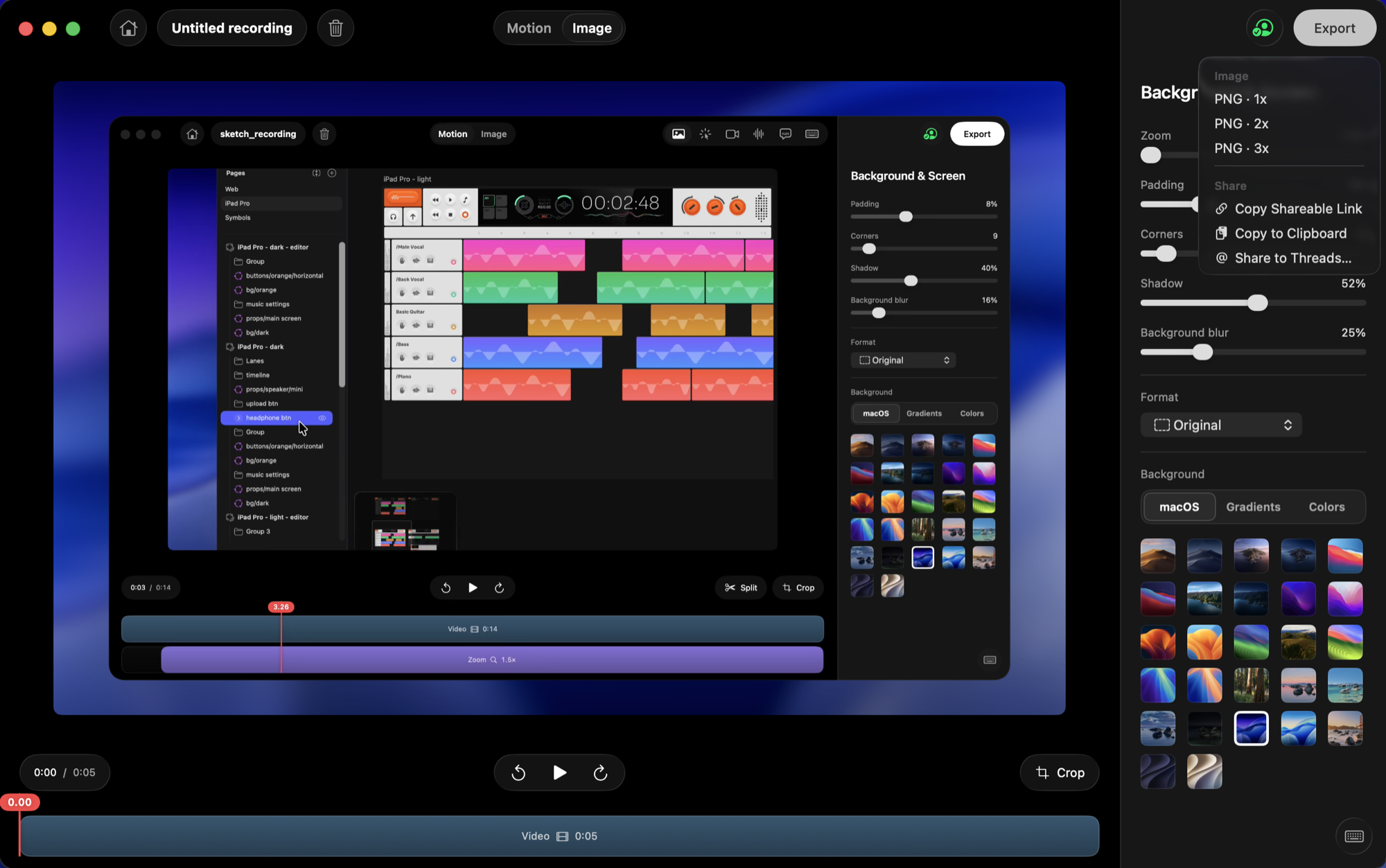
Export a frame as PNG
- Export any frame as a PNG image at 1x, 2x, or 3x, right from the Export menu.
Refreshed editor
- Lighter, floating glass toolbars and a full-height inspector.
- The seconds ruler now appears only when you zoom the timeline.
Sign in to sync across your Macs
You can now sign in to Kiruna with Apple, Google, or your email, and your account and Pro status follow you to every Mac you use. We also made the timeline easier to work with and sharpened lower-resolution exports.
Sign in with Apple, Google, or email
- New sign-in with Apple, Google, or a magic email link.
- Your account and Pro unlock sync across all your Macs.
Easier timeline
- Zoom the timeline with your mouse or trackpad.
- A clearer playhead and a seconds ruler while you trim.
Sharper exports
- Cleaner 480p and 720p exports.
Idle polish and a recording timer
We cleaned up the idle and review screens so they feel calmer to work in. There's a live timer while you record now, so you always know how long your take is. Kiruna also keeps itself out of the recording picker, and scrubbing along the timeline feels smoother when you trim.
A calmer idle and review screen
- Cleaner idle and review screens.
- A live timer while you record, so you always know your take length.
A smarter recording picker
- Kiruna now hides its own window from the recording picker.
Timeline scrubbing fix
- Fixed a glitch when scrubbing the timeline.
Review your take before exporting
Now you get a moment to look at a recording before you export it. After every take a review screen shows up, so you can play it back, make a quick change, or throw it out and start over. We also added 2K export for sharper video, and new recordings get a soft background blur by default so they look good right away.
Review a take before you export
- A review screen after each recording to preview, tweak, or delete a take before exporting.
Automatic background blur
- Recordings now get a soft background blur by default.
Exports up to 2.8x faster
Exporting is a lot faster now. We changed how videos render so they use more of your Mac at once, and exports come out up to 2.8 times quicker. Long recordings and high resolutions that used to take a while are done in no time.
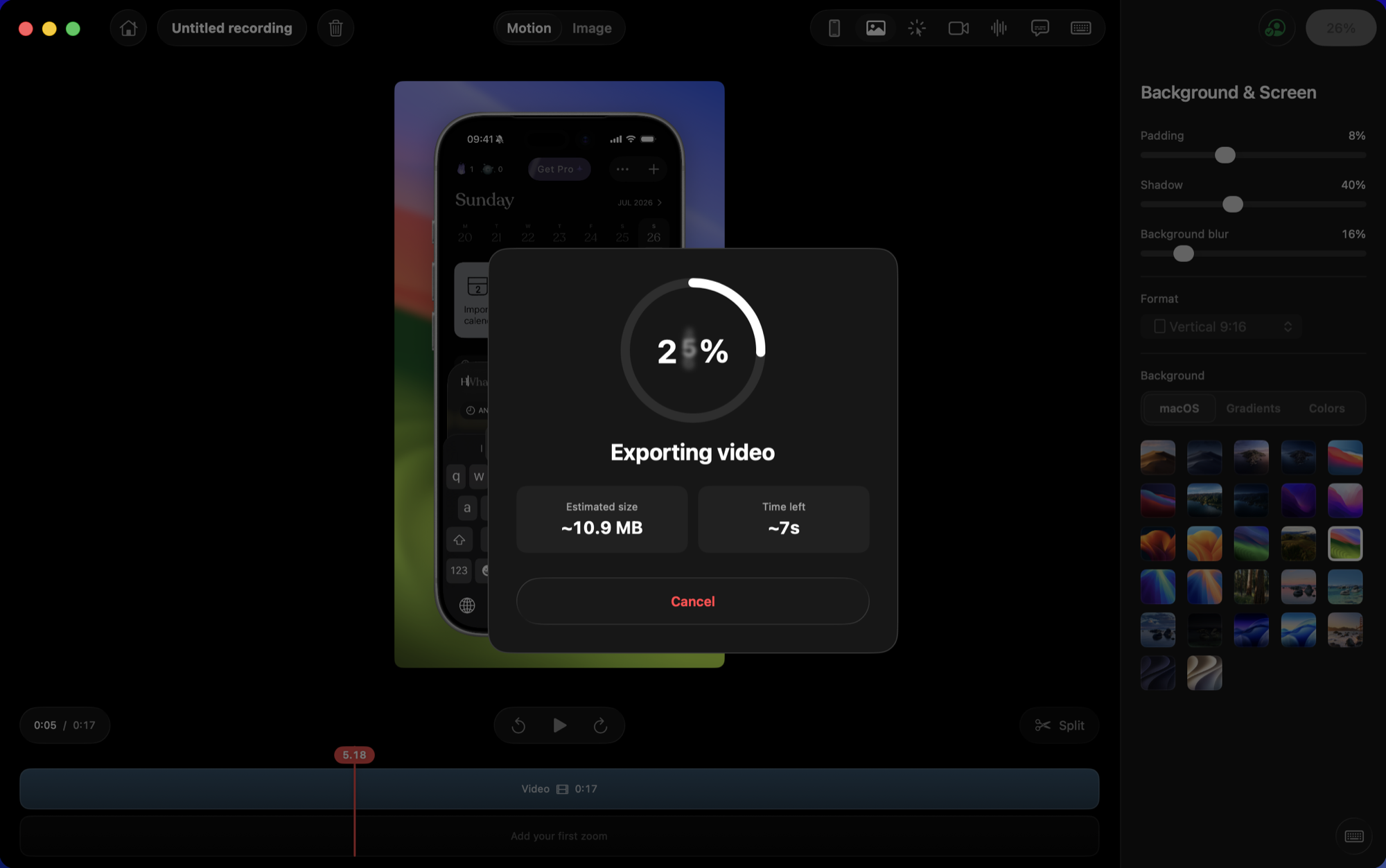
Faster parallel export
- Rebuilt export to render in parallel, up to 2.8x faster.
Now Universal, on more Macs
Kiruna runs on more Macs now. It's a Universal app, so it's fully native on both Apple Silicon and Intel machines. This update needs macOS 15 or newer.
Universal, and macOS 15 ready
- Universal build: native on both Apple Silicon and Intel Macs.
- Now supports macOS 15 and later.
Smoother and steadier
This one is mostly polish. The camera moves between clicks more smoothly, and we fixed a bunch of little things so recording and editing feel more reliable, especially on longer sessions.
Smoother camera motion
- Smoother camera transitions and general polish.
Faster and lighter
Kiruna is quicker and lighter now. It opens faster, uses less memory while you record, and the download is smaller. We also cleaned up a handful of small bugs.
Leaner and faster
- Performance improvements and a smaller download.
Small bug fixes
- A handful of small bug fixes.
Kiruna is here
This is the first version of Kiruna. Record any window or your whole screen, and it builds a smooth camera that zooms to every click for you. Add a backdrop, trim and split your take, and export to MP4 or GIF, all right on your Mac. Updates install themselves, so you always stay current.
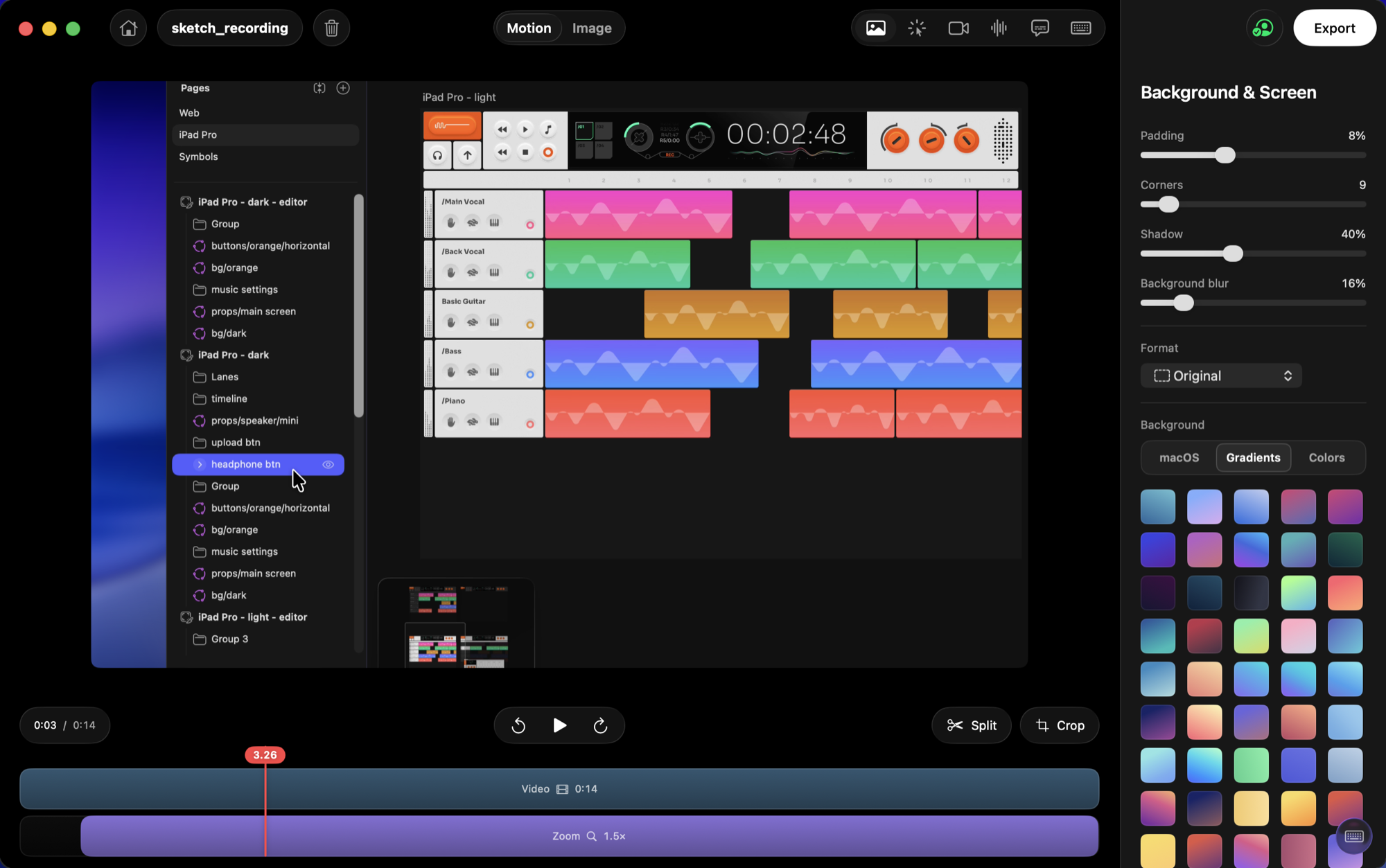
Kiruna's first release
- Record your Mac with an automatic camera path that zooms to every click.
- Backdrops, trim, and export built in.
- Built-in automatic updates.